


EssayGrader.ai is an AI essay-grading tool that can help teachers reduce the time they spend on written assignments. It also offers rubrics, bulk essay uploads, and LMS integrations.
For teachers who grade occasionally or want to test AI grading before committing to a paid plan, EssayGrader is a reasonable starting point. But for educators who assign writing regularly or need consistent, nuanced feedback across an entire class, the platform presents some challenges.
EssayGrader holds a 4.5-star TrustScore on Trustpilot across 69 reviews (as of October 2026), and many teachers are happy with it. Its lower-rated reviews, all posted in 2025, raise a few concerns that are worth knowing about before you choose a tool:
- Score consistency. One reviewer wrote that they could submit the same paper with the same rubric and get two different scores.
- Generic feedback. Another reviewer said the tool graded every paper with the same comments and points.
- Integration glitches. A third described Canvas repeatedly disconnecting and student lists failing to load after upgrading.
- Grading nuance. A fourth reviewer said the grading didn’t have the nuance they wanted.
EssayGrader has shipped several updates since those reviews were posted, so treat them as one input among many, and test any tool on your own students’ writing.
If any of those concerns matter to you, it is worth comparing alternatives. CoGrader, for example, scores against your rubric criterion by criterion, generates specific feedback tailored to each student’s actual writing, and offers a free plan that covers 150 essays per month.
This guide compares nine EssayGrader.ai alternatives, starting with our very own software, CoGrader, to help you find the right grading tool for your classroom.
Below, we compare the nine best EssayGrader.ai alternatives before getting into more detail.
| Tool | Best For | Free Plan | Starting Price | LMS Integration |
|---|---|---|---|---|
| CoGrader | Essay and writing feedback for K–12 and higher ed | Yes | From $19/month | Google Classroom, Canvas, Schoology, Brightspace |
| Gradescope | Large STEM classes in higher education | Yes (Basic) | Free plan; custom pricing | Canvas, Blackboard, Moodle, Brightspace, Sakai |
| Brisk Teaching | Teachers already working in Google or Microsoft tools | Yes (20+ tools) | Free plan; custom pricing | Google Classroom, Canvas, Schoology, Microsoft |
| Marking.ai | High school exam-style marking and handwritten work | Yes (limited) | From $29/month | Bespoke integration on request |
| Class Companion | Formative writing feedback with student-facing AI tutor | Yes | Free for teachers | Google Classroom, Canvas, Schoology |
| Graide | University and institutional assessment at scale | No | Custom pricing only | LMS integration supported |
| MagicSchool AI | All-in-one planning, feedback, and communication | Yes | $8.33/month | Google Classroom, Canvas, Schoology, Clever, ClassLink |
| Kangaroos AI | Bulk essay grading with rubric customization | Yes | Custom pricing only | Limited |
| Turnitin Feedback Studio | Institutions needing grading plus academic integrity | No | Custom pricing only | Canvas, Moodle, Blackboard, D2L, Sakai |
Ready to see what consistent, rubric-aligned grading looks like? Try CoGrader free; no credit card required.
1. CoGrader
CoGrader is our very own AI essay-grading tool, built for writing-intensive classrooms. It connects directly to your LMS, imports your student submissions automatically, and grades every essay against your rubric in seconds.
With CoGrader, the rubric-based grading process is consistent and high-quality from start to finish. Every submission runs through the same rubric criteria, including argument quality, use of evidence, organization, and language, so the score a student receives reflects their actual work.
That consistency is what helps teachers spend far less time grading, especially when assigning high volumes of writing, where manually grading 30 essays can take an entire weekend.
We also built our AI grader to generate much more personalized feedback tailored to each student’s assignment. CoGrader generates passage-level comments tied to what each student wrote, which means students get detailed feedback they can act on in a timely manner to improve their writing skills.
Many essay grading tools can only handle surface-level tasks like checking grammar and flagging spelling errors, or return generic feedback for every student’s paper. But CoGrader is built to evaluate the deeper writing judgments that matter in a writing classroom.
Plus, CoGrader offers a free plan that covers up to 150 essays per month, which is enough for most teachers to run a full class set through the tool and see exactly how it performs before committing to anything.
Automatically Grade Essays, Quizzes, and Written Assignments in Minutes
Manually grading essays can be time-consuming, especially for teachers with multiple classes of 25 to 30 students. At 15 to 30 minutes per paper, a single written assignment can add up to 50 or more hours of grading. And much of this grading happens on nights and weekends, leading to teacher burnout.
Because most teachers don’t have that kind of time, they need to cut corners by providing shorter feedback, only grading specific portions of essays, or assigning less writing altogether. Otherwise, it takes too long to grade papers, and their feedback does not reach students until two weeks after they submitted.
CoGrader eliminates that problem by grading your entire class against your rubric in approximately two minutes. A class set that would normally take a full weekend can be ready before the next class period.
To grade essays and assignments with CoGrader, you can:
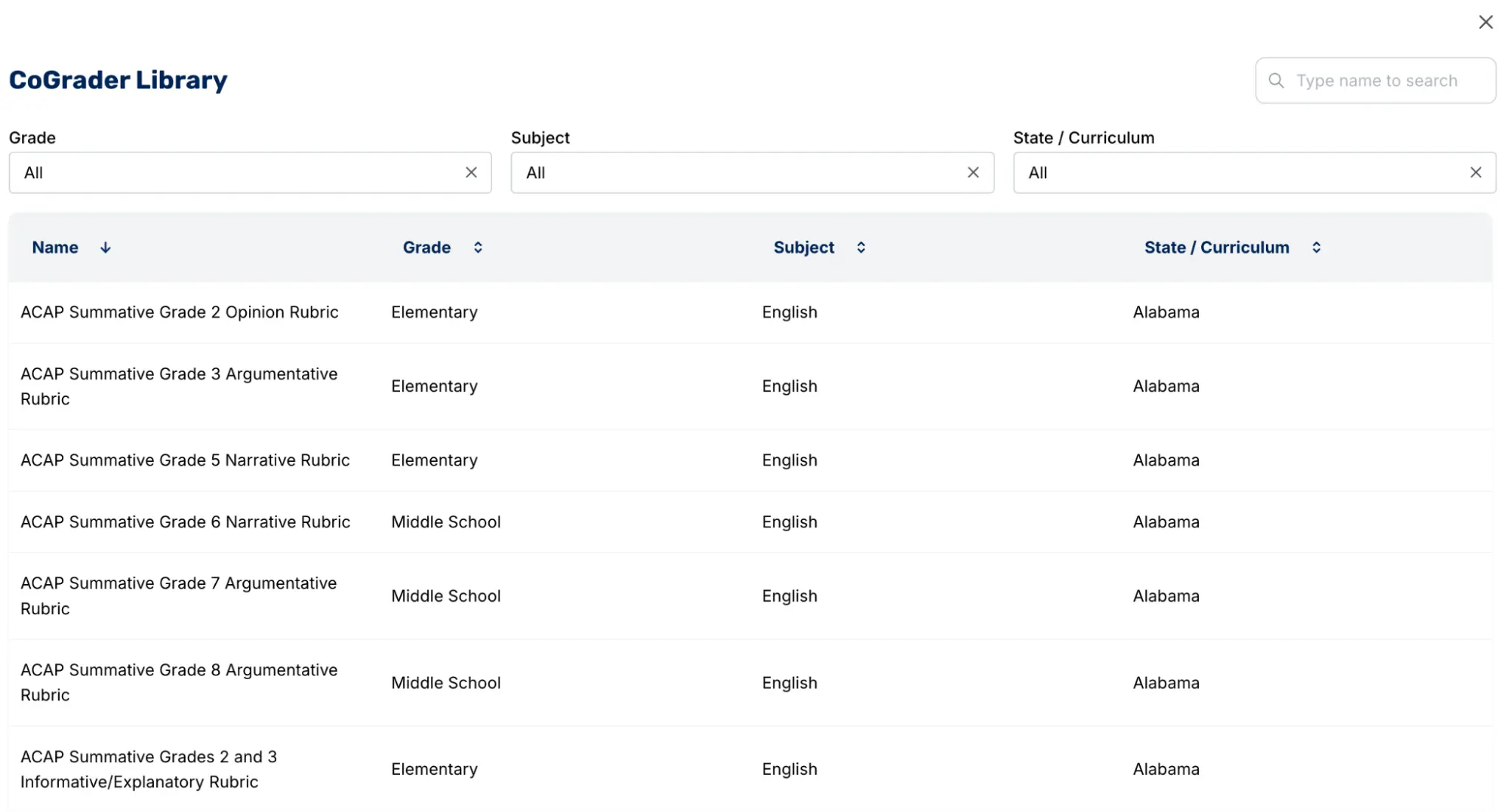
- Upload your own rubric or choose from CoGrader’s pre-built library of state, AP, and IB-aligned rubrics
- Import student submissions directly from Google Classroom, Canvas, Schoology, or Brightspace
- Grade an entire class set simultaneously in approximately two minutes
- Review, edit, and approve every piece of feedback before it reaches students
- Adjust grading strictness, tone, reading level, and feedback depth to match the assignment and your students
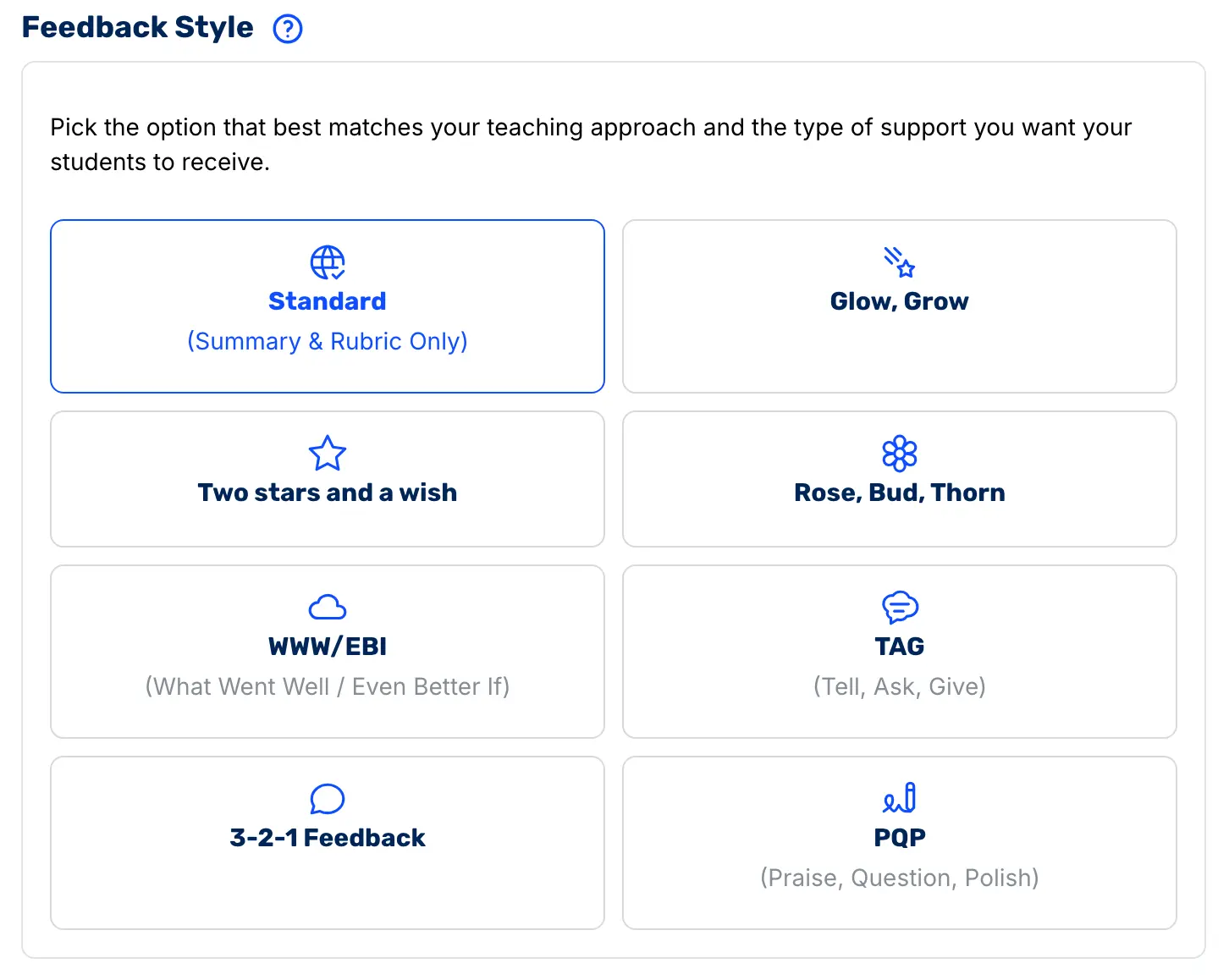
- Deliver feedback in the framework your school already uses, such as Glow and Grow, Two Stars and a Wish, WWW/EBI, and others
For example, if you teach a 10th-grade English class and assign a narrative short story, CoGrader can grade 30 submissions simultaneously in about two minutes. The system then scores each student on criteria such as plot development, descriptive language, structure, and voice, using your rubric.
CoGrader also lets teachers choose how feedback is structured before it reaches students. If your school already uses a framework like Glow and Grow or WWW/EBI, CoGrader delivers feedback in that format.
Every comment is tied to a specific highlighted passage in the student’s essay. Students can see exactly which sentence or paragraph the feedback refers to, what worked, what needs to change, and what to do differently in the next draft.
Build and Customize Rubrics That Reflect Your Exact Grading Standards
AI grading systems commonly evaluate student writing against their own internal model of what a good essay looks like. But these models have no relevance to your state standards, your assignment prompt, or how your school expects student work to be evaluated. This often results in low-quality feedback, inaccurate essay scores, or generic comments that do not help students improve.
CoGrader works differently. Before a single submission is evaluated, you set the standard the AI grades against with custom rubrics, and it adapts to how you already teach.
There are a few ways to set your grading standard in CoGrader:
- Import your existing rubric. If you have a rubric that works for your class, keep using it. Upload it as a PDF, image, or document, and CoGrader grades against your exact criteria.
- Pick from CoGrader’s rubric library. CoGrader’s built-in library covers all 50 U.S. state standards, AP rubrics with one-click setup, and IB and Cambridge A-Level frameworks.
- Allow CoGrader to automatically build one for you. You can either paste in the standards your administration requires you to teach to or describe the grade level, the text, and what you asked students to do, and CoGrader can turn it into a ready-to-use rubric.
For instance, if you assigned your 8th-grade class an argumentative essay responding to a news article on social media and mental health, you could tell CoGrader: “8th-grade argumentative essay, students must state a clear claim, support it with at least two pieces of evidence from the text, and address a counterargument.”
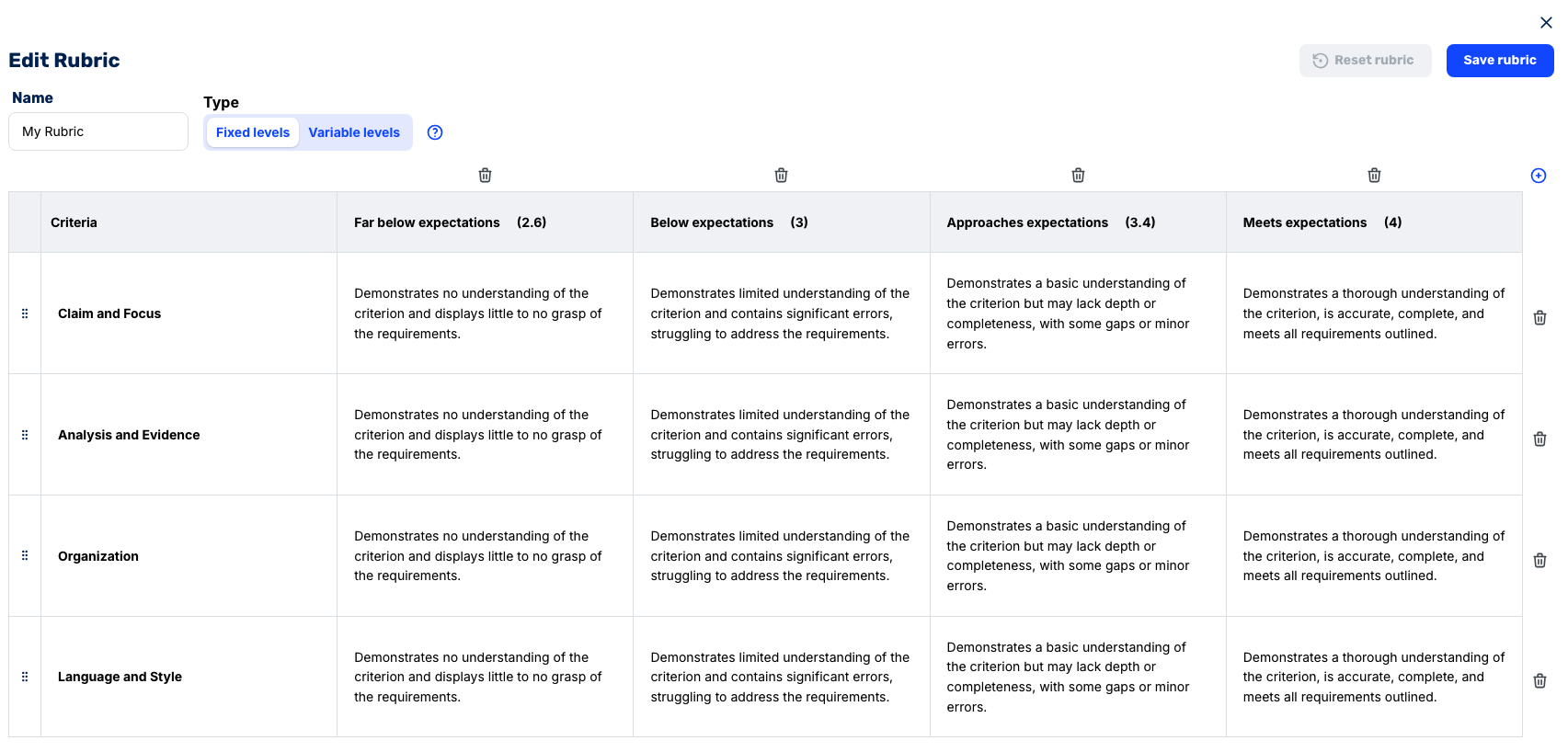
With this information, CoGrader can generate a rubric with defined criteria and scoring levels that’s ready to grade against before your first student submits.
One thing most grading tools do not offer is the ability to make changes mid-assignment. If you are halfway through a class set and realize the rubric you selected does not quite fit the assignment, you can swap it out for a different one without losing your progress. CoGrader automatically regrades every submission against the updated criteria.
Understand Your Class Better with Class-Wide Assignment & Performance Insights
When teachers grade essays by hand, future lesson planning is often based on a feeling of how the class performed rather than actual data. In clear-cut scenarios, such as when a majority of students failed the assignment, the pattern is obvious enough to recognize.
But for more specific skill gaps, such as how well students integrated textual evidence or whether their thesis statements were defensible, teachers are more likely to remember the two or three papers that stood out rather than have an accurate read on where the whole class stands.
Without a clear overview of class performance, it is easy to reteach a concept to 30 students when only 4 needed it, or to move on to the next unit when a third of the class was not ready.
There are multiple analytics views available to teachers, including:
- Student view: Analyze individual student performance to see exactly who needs targeted support on specific concepts or skills.
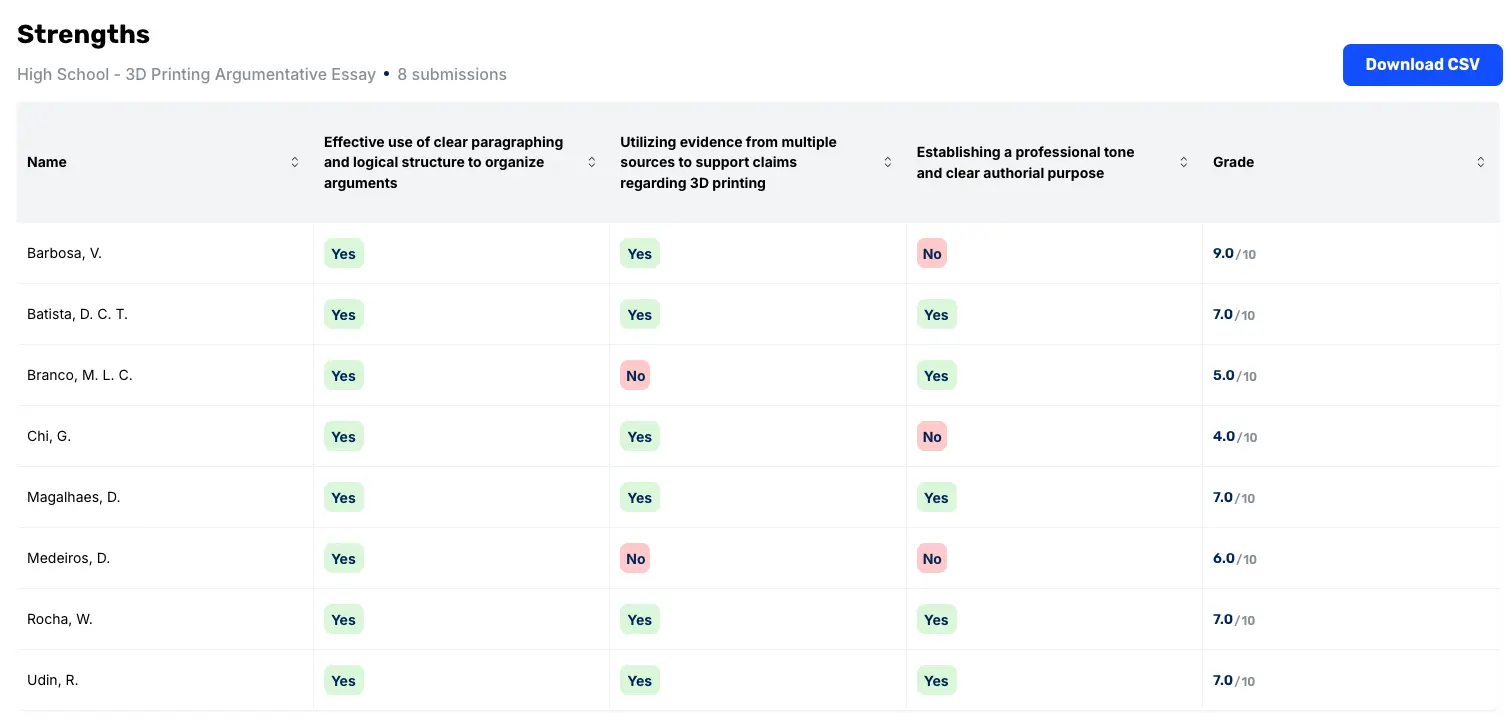
- Criteria radar: View a visual snapshot of how the class scored on major rubric criteria at once so you can identify areas where more instruction is needed.
- Score distributions: Quickly check class performance across clusters to see how many students are scoring below, at, or above expectations.
- Next lesson insights: A full instructional plan that’s generated automatically after grading, including class strengths, areas for growth, reteaching suggestions for struggling students, and enrichment activities for those who are ready to go further.
These in-depth analytics help teachers run their classrooms with more clarity, so they spend less time guessing where students stand and more time delivering instruction that improves student outcomes.
Access Additional Teacher Tools to Support Your Classroom
CoGrader does more than grade essays. Our teaching platform offers additional tools that will help you save time in the classroom. Below, we take a closer look at some of these tools.
Plagiarism Detection
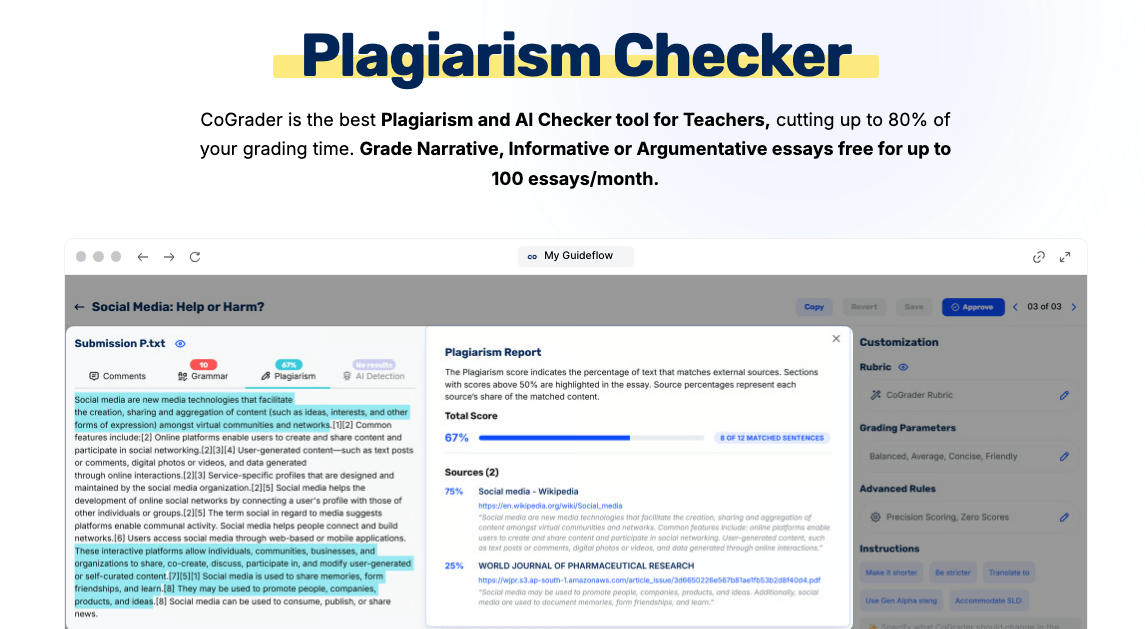
CoGrader’s Plagiarism Checker flags similarities across sources so you can address potential academic dishonesty early, without needing a separate tool or subscription. This allows teachers to check student submissions for copied content before returning feedback.
For schools where academic integrity is a growing concern, having plagiarism checking and proofreading built directly into the grading process makes it much easier for teachers to identify issues at the same moment they review the work.
AI Detection
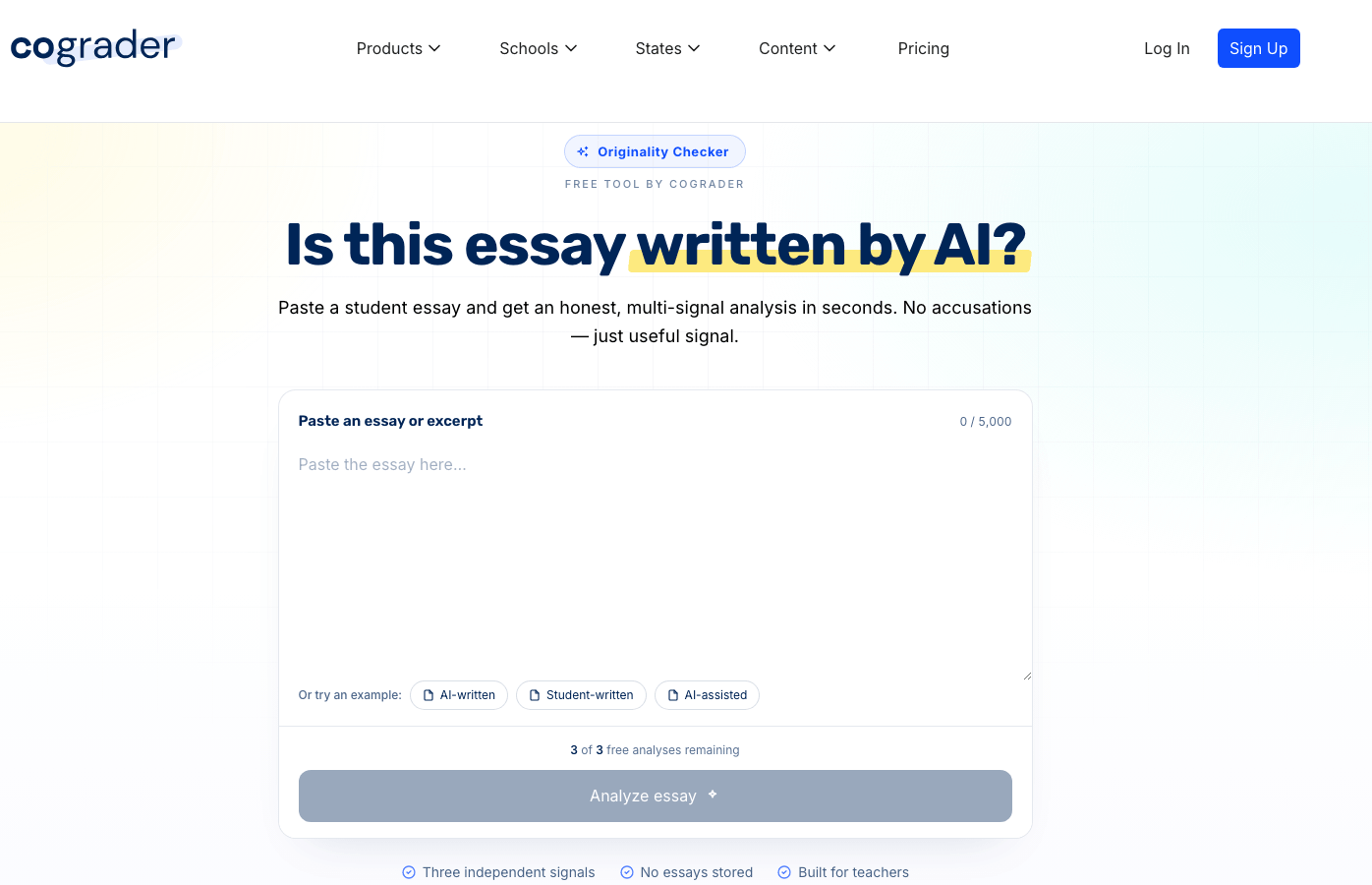
CoGrader’s AI Detector scans submissions and surfaces likely AI-generated content, giving you the information you need to have an informed conversation with your students. This is especially important as AI writing tools become more common in classrooms.
AI Lesson Plan Generator
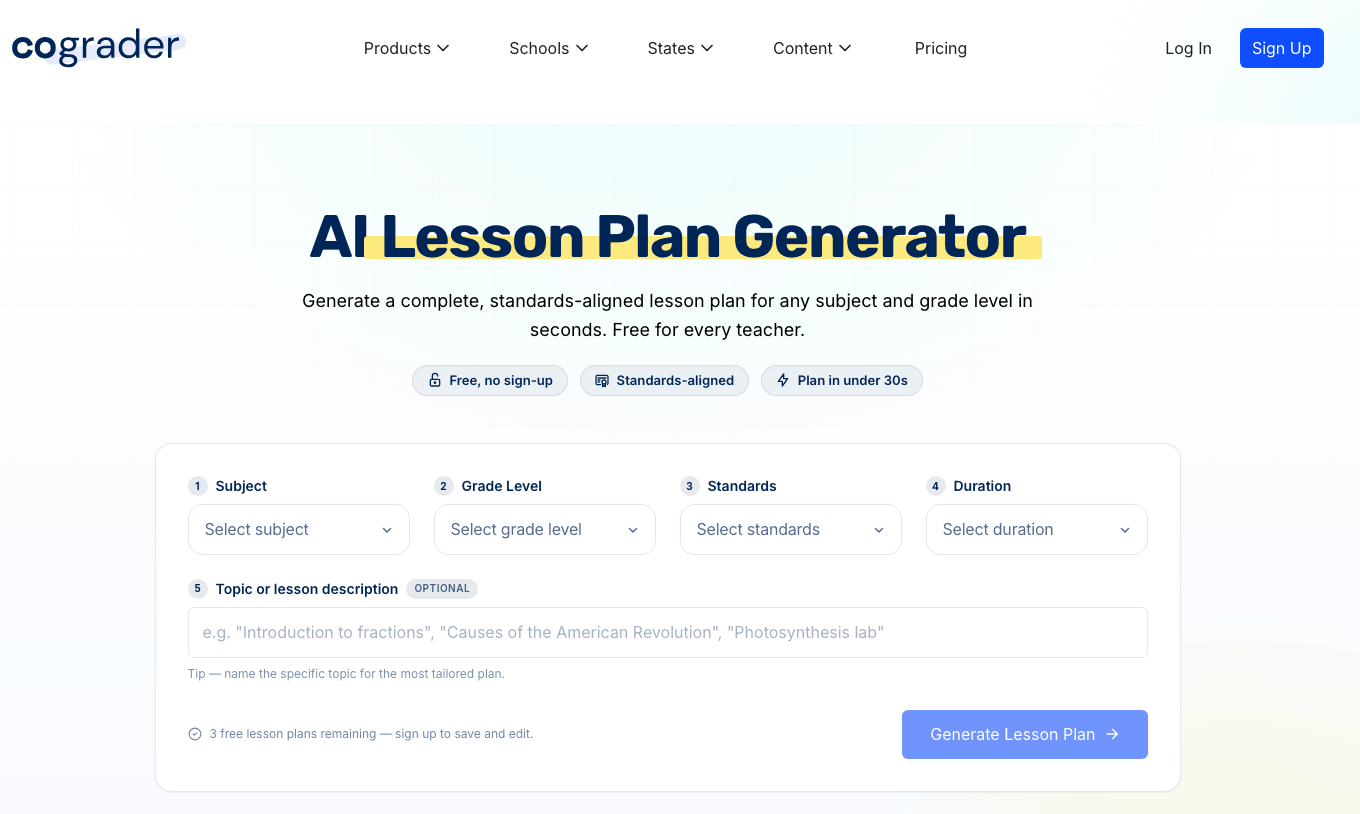
With CoGrader’s Lesson Plan Generator, teachers can enter a topic, grade level, and any relevant standards, and the tool creates a structured lesson plan in seconds. Use it as a starting point and adjust to fit your class rather than building from scratch every time.
AI Rubric Generator
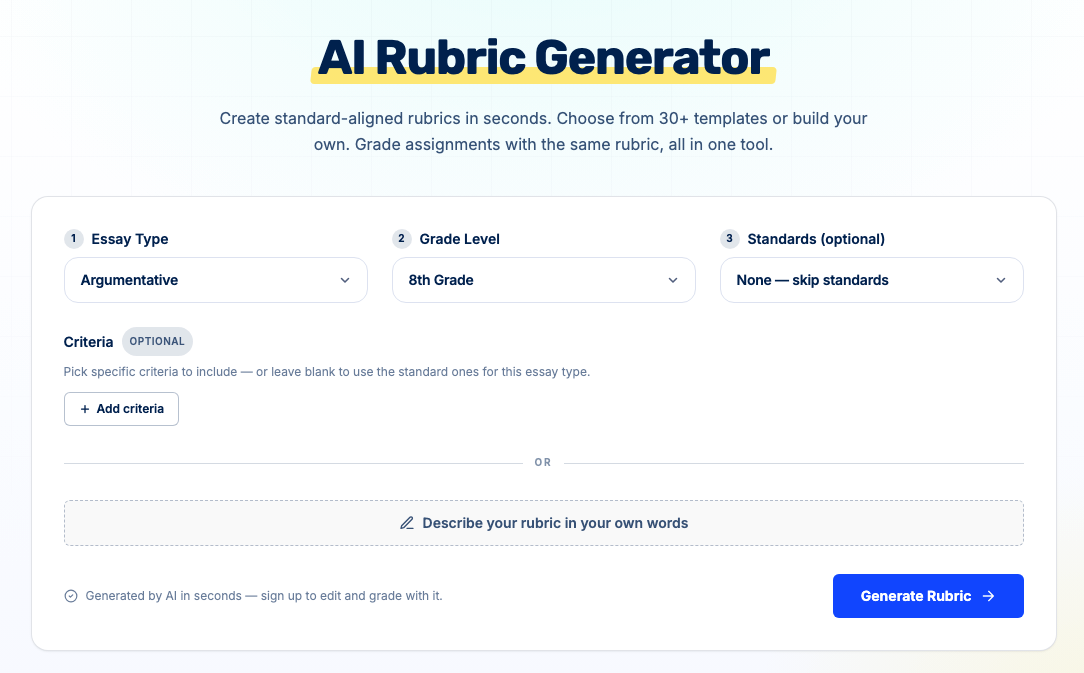
CoGrader’s AI Rubric Generator creates standards-aligned rubrics in seconds. Choose your essay type, grade level, and standards, then either select from 30+ templates or describe your rubric in your own words.
The AI builds out the full criteria instantly, so it’s ready to edit and grade with while using the same tool. You can also save rubrics for reuse across classes and assignments, so you don’t have to rebuild the same framework every semester.
CoGrader Pricing
- Starter (Free): Grade up to 150 essays per month and get 90 days of free premium access to experience the full platform.
- Standard ($19/month or $15/month billed annually): Grade up to 350 student submissions per month with full LMS integration, rubric customization, passage-level feedback, and access to class-wide performance insights and analytics dashboards.
- Schools & Districts (Custom pricing): Available for schools that need consistent, rubric-aligned grading across multiple classrooms, with unlimited submissions, shared rubric libraries, admin controls, and dedicated onboarding support.
- Higher Ed & Enterprise (Custom pricing): For universities and institutions that need a fully tailored grading solution, with API access, dedicated account management, custom integrations, and flexible support terms.
CoGrader Reviews
“The time savings are honestly unbelievable. What used to take me hours (or sometimes even days) now takes mere minutes,” says Mindy Erickson, a second-year teacher who found CoGrader after her weekends were disappearing under piles of essays.
Other reviewers, including veteran educators with decades of experience, describe the same changes in their grading workload and the quality of feedback their students receive:
“CoGrader made it possible for me to respond to more than 80 essays in just a couple of days. The platform has even learned to respond with the feedback I would have given.”
– Marcy Messer, high school and college educator
“Before, it would take me a week or more to get feedback to students, and by then the feedback was irrelevant! Now students get feedback the very next class.”
– Beth Reinert, teacher
Teachers who were skeptical of AI grading tools before trying CoGrader note how the depth of feedback surprised them:
“I am blown away with the depth of detailed comments students are given. The ability to fully adjust aspects of the feedback, such as making the language more friendly or raising the rigor, is beyond versatile for all forms of writing.”
– Vicky Bryan, 28-year AP and ELA teacher
“The ease of providing my students with timely and high-quality feedback without sacrificing my sanity or personal life has been a welcomed change.”
– Jessica Castronovo, English teacher with nearly a decade of experience
Try CoGrader Free
If you need fast, rubric-aligned feedback on written assignments without a steep learning curve or an institutional contract, sign up for a free CoGrader account and start your 14-Day free trial!
2. Gradescope
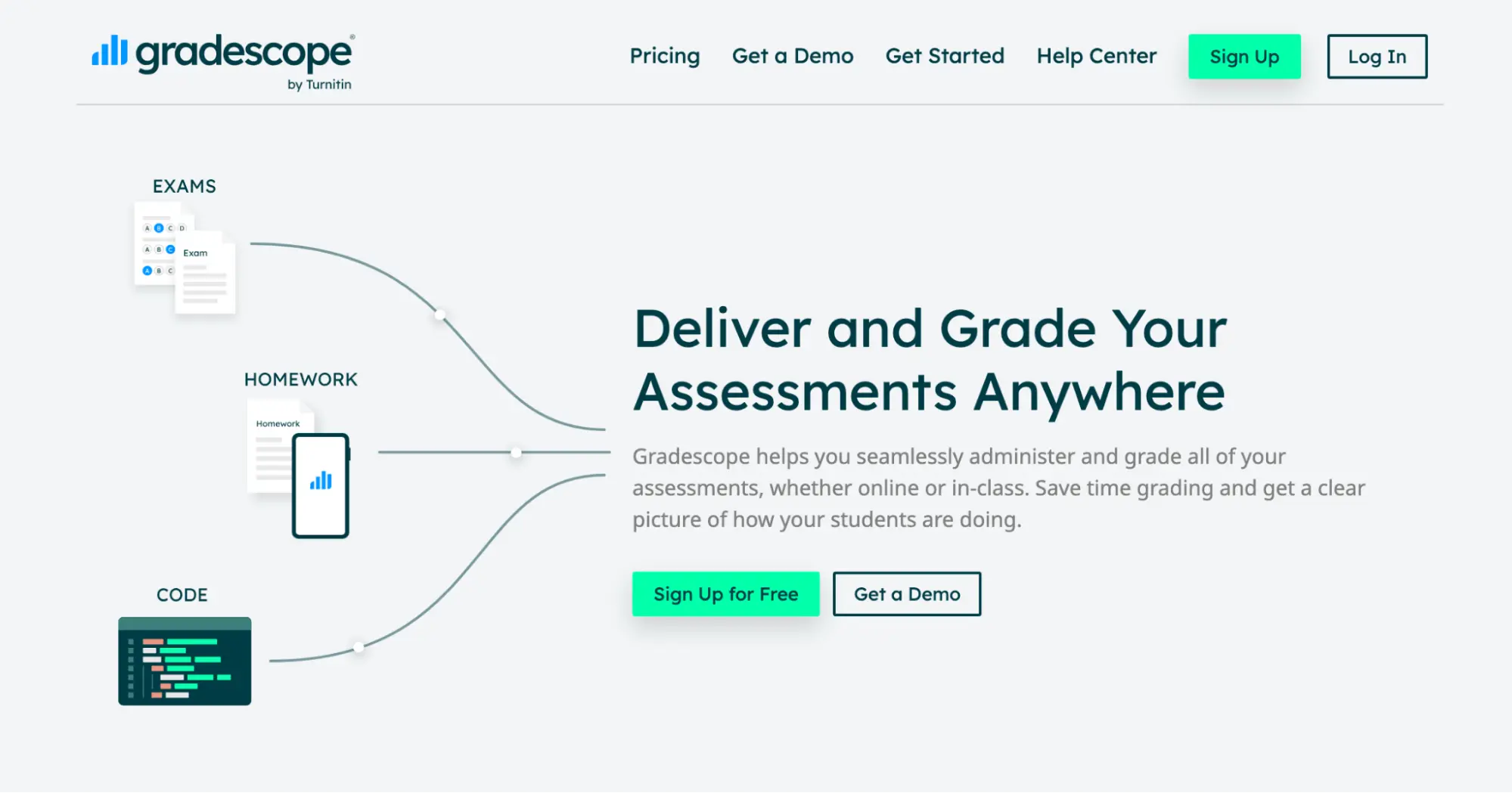
Gradescope was built by UC Berkeley instructors and is now owned by Turnitin. Its AI-powered answer grouping clusters similar student responses so teachers can grade the whole group at once rather than evaluating each answer individually.
The tool can handle a wide range of submission types, including typed digital files, scanned handwritten work, coding assignments, and bubble sheet exams. That said, Gradescope works best in higher education and STEM classrooms, so K–12 with smaller class sizes would be better off with a different tool.
Best For
University professors and STEM instructors who manage large classes will get the most from Gradescope because it provides consistent, efficient grading.
Key Features
- AI-assisted answer grouping for batch grading
- Supports handwritten, digital, coding, and bubble sheet submissions
- Anonymous grading to reduce evaluator bias
- LMS integrations with Canvas, Blackboard, Moodle, Brightspace, and Sakai
- Mobile app for student submission scanning
Pricing
Gradescope doesn’t publicly list pricing. You can try out the Institutional plan for free for one term. The two available plans include:
- Basic: free to use after an institutional trial ends
- Institutional: custom pricing; you have to contact their sales team for a quote
3. Brisk Teaching
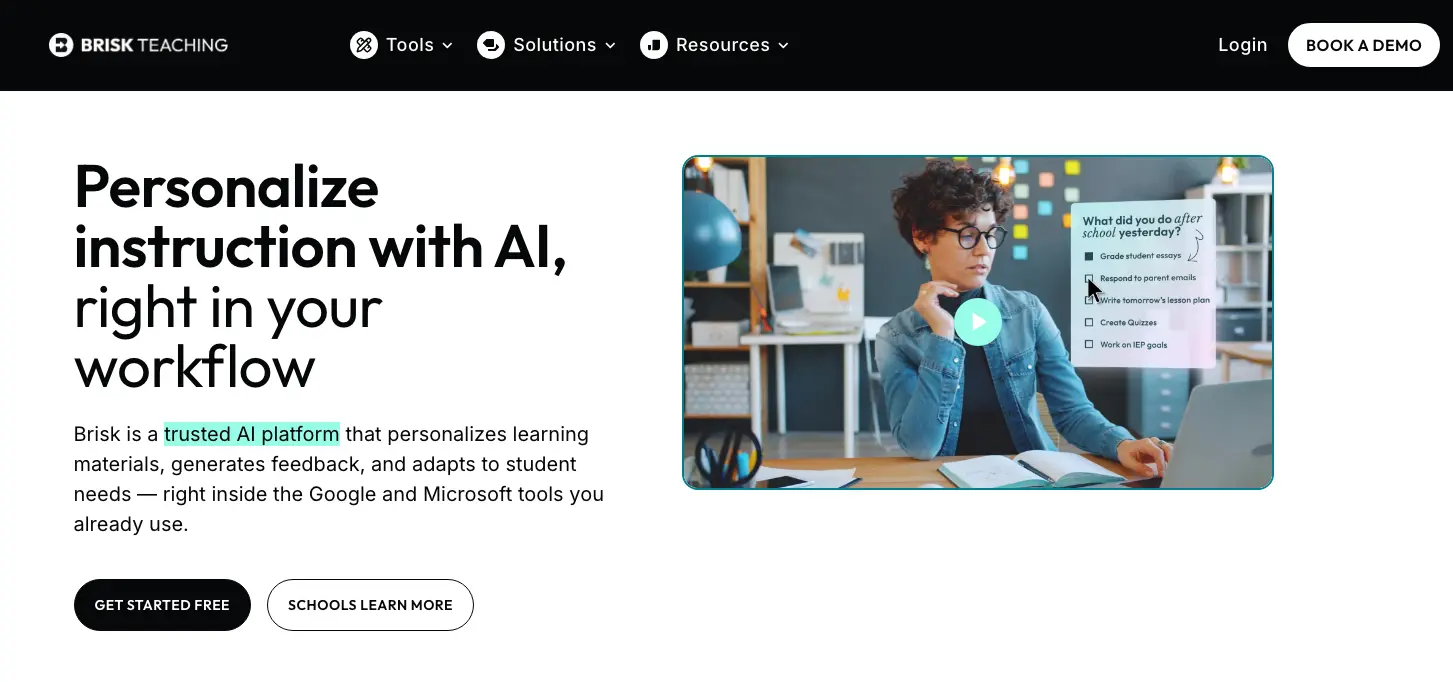
Brisk Teaching works directly in Google Docs, Google Slides, YouTube, and Canvas through a Chrome and Edge browser extension. For instance, when you’re reviewing a student’s Google Doc, you can generate rubric-aligned feedback without leaving the document.
The platform offers more than 40 AI-powered tools, covering feedback generation, lesson plan creation, quiz generation, text leveling, and its Inspect Writing feature. It works as both an essay grading and a classroom management tool for teachers.
Best For
K–12 teachers already working in Google or Microsoft environments will find it easy to integrate Brisk Teaching into their classrooms. It’s a seamless way to add AI assistance to their current workflows rather than managing multiple tools through separate platforms.
Key Features
- Chrome/Edge extension that works inside Google Docs, Slides, Classroom, and YouTube
- Four feedback modes with rubric-aligned commenting directly in student documents
- Inspect Writing with full revision history playback and paste detection
- Text leveling and translation across 20+ languages
- Quiz generation from YouTube videos, PDFs, and online articles
Pricing
- Free: 20+ AI tools with usage limits for individual teachers, works inside Google Docs, Slides, YouTube, and your LMS via Chrome/Edge extension
- Schools & Districts: 35+ tools, turbo language models, unlimited usage, batch feedback, and cross-classroom insights; custom pricing
- Districts (Intelligence): everything in Schools & Districts, plus alignment with your curriculum, district guidelines, and compliance; custom pricing
4. Marking.ai
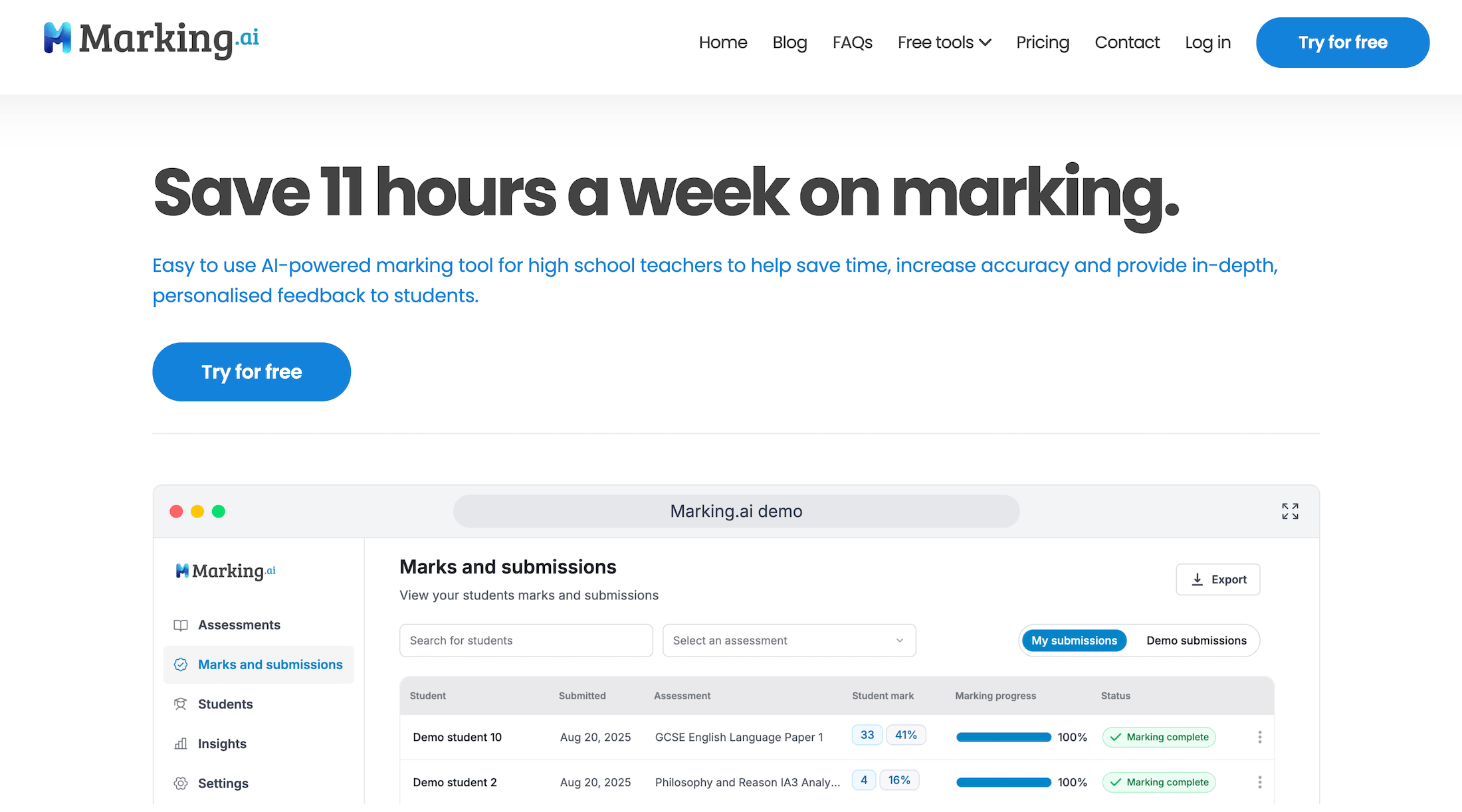
Marking.ai was built specifically for high-school-level written assessments that require detailed, criteria-based marking. Its strongest feature is the ability to handle handwritten submissions with real accuracy. Teachers can upload scanned images of student handwriting, and the AI marks the work accurately.
The platform is designed around exam-style questions rather than holistic essay rubrics. It works well for subjects like English Language, History, and Sciences, where students answer multi-part questions worth set marks.
Best For
High school and secondary school teachers who regularly grade exam-style written responses but feel overwhelmed by the volume of grading. It will really help out teachers who handle a higher volume of handwritten submissions.
Key Features
- Handwriting recognition for scanning and marking paper-based work
- Mark scheme upload for criteria-aligned grading
- Question-by-question scoring with evidence highlighted in student work
- Student performance tracking across a class set
- Automatic mark and percentage calculation
Pricing
- Starter: $29/month (90 submissions)
- Pro: $49/month (250 submissions)
- Plus: $89/month (500 submissions)
5. Class Companion
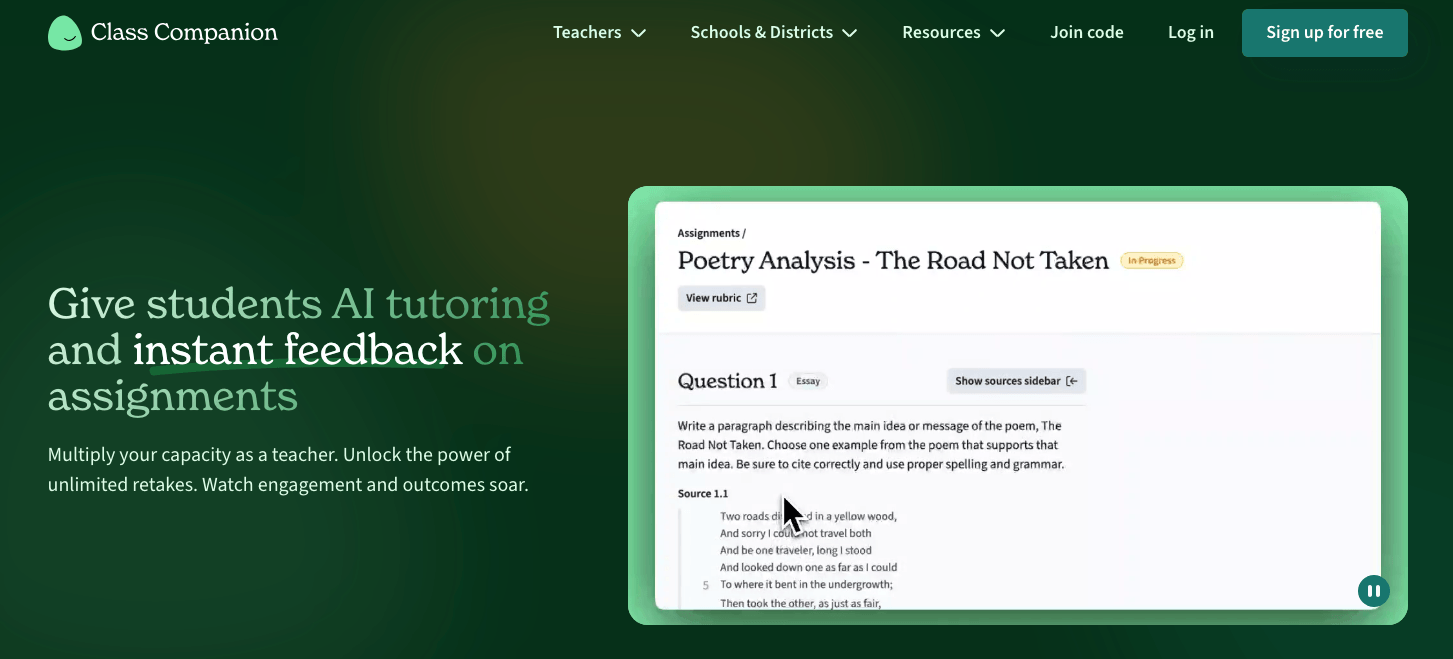
Class Companion gives students instant, rubric-aligned feedback the moment they submit their work. Teachers create an assignment or pull from a library of 10,000+ pre-built assignments and rubrics.
Students submit their responses and receive AI-generated feedback within seconds, scored against the teacher’s rubric. The platform also includes Ditto, an AI tutor that guides student thinking without providing direct answers.
Best For
This educational platform is best for K–12 ELA and humanities teachers seeking a formative assessment tool that provides students with immediate, rubric-aligned feedback. It also supports tutoring and revision-focused learning.
Key Features
- GPT-4-powered instant feedback against teacher-defined rubrics
- Ditto AI tutor for real-time student guidance and encouragement
- Library of 10,000+ assignments and 500+ rubrics
- Multiple attempt support for formative revision cycles
- Academic integrity detection, including paste detection and typing anomalies
Pricing
- Teacher plans are free with core features, including AI grading and Google Classroom integration
- School and district plans are custom only and require a specialized quote
6. Graide
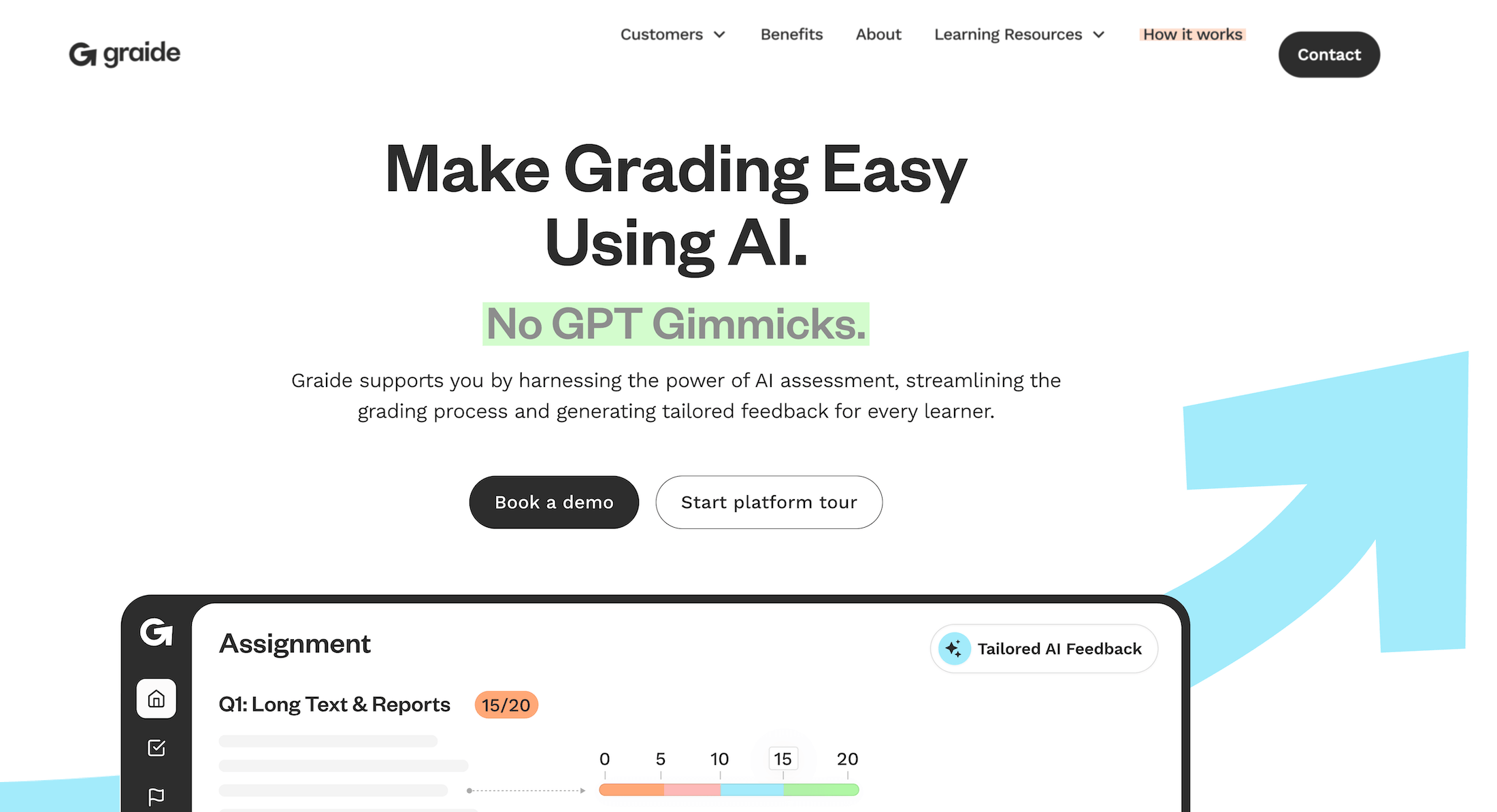
Graide uses its own proprietary AI specifically for grading and assessment. It can handle essays, short text responses, and mathematical questions, and accepts a range of submission formats, such as typed responses, handwritten equations, scanned documents, and image uploads.
It also provides classroom analytics that allow instructors to view student performance data. This is useful for institutions, but it’s not really a tool built for classroom teachers working independently.
If you’re an individual teacher at a K-12 school looking for a quick grading tool, the other options on this list will be a better fit. But if you’re a department head or academic leader evaluating enterprise-level AI assessment, Graide is worth considering.
Best For
Graide is built for universities, colleges, and vocational institutions that need consistent AI-assisted assessment with robust analytics. It won’t be as reliable a tool for individual teachers or small schools with only a handful of classrooms.
Key Features
- Proprietary AI built specifically for educational grading
- Covers essays, short answers, and mathematical questions
- Accepts handwritten, scanned, typed, and image-based submissions
- Comprehensive student and cohort analytics
Pricing
- Quote-based pricing plans are available for higher education institutions. No public pricing plans for individual users.
7. MagicSchool AI

MagicSchool AI offers over 80 AI-powered tools that cover the full scope of teacher work, including lesson plan generation, rubric creation, quiz design, IEP writing, behavior plan generation, parent communication drafting, and writing feedback on student assignments. If you are weighing it specifically for grading, compare the best MagicSchool AI alternatives built for marking student writing.
For grading and feedback, teachers upload a set of student writing samples, provide a rubric, and receive AI-generated feedback they can review, personalize, and send. It works more like an assisted feedback generator than an automated grader, so teachers remain in the loop on every piece of feedback. The tool also includes a Student Rooms feature that lets teachers configure AI tools for students to use directly.
Best For
MagicSchool AI is best suited for teachers who want to manage all classroom tasks in a single AI platform. Since it can handle lesson planning, student engagement, communication, and feedback, districts can roll out the platform without having to train staff on multiple systems.
Key Features
- 80+ AI tools covering lesson planning, assessment, differentiation, IEPs, and communication
- Batch writing feedback with rubric alignment
- Student Rooms for configuring student-facing AI tools with teacher controls
- Text leveler and translator for differentiation
- Integration with Google Classroom, Canvas, Schoology, Clever, and ClassLink
Pricing
- Free plan available with core tools and monthly usage limits.
- Plus plan starts at $8.33/month (billed annually at $99.96) or $12.99 month-to-month.
- Enterprise plans for schools and districts are quote-based.
8. Kangaroos AI
Kangaroos AI is an edtech platform with various tools for teachers and educational institutions to automate grading and content creation. The core grading functionality covers essays, short answer responses, and handwritten and typed documents.
On top of that, teachers can upload their own rubrics or generate rubrics through the platform, set specific grading criteria, and submit batches of student work for evaluation. But many teachers report a steeper learning curve when they get started. Additionally, there are AI detection features and a teacher writing assistant.
Best For
Teachers who want an all-in-one platform covering grading and teaching tools will get the most from Kangaroos AI. It’s especially useful for writing-intensive courses and for teachers handling large assignment volumes who want bulk-upload capabilities.
Key Features
- AI essay grader with rubric upload and customization
- Bulk upload for grading multiple assignments simultaneously
- Short answer and handwritten document support
- Specific in-text examples cited in student feedback
- Lesson plan generation and rubric creation tools
Pricing
- Kangaroos AI offers a free plan with access to core grading tools.
- Paid plans with custom pricing are available to access expanded features, with school and district options available.
9. Turnitin Feedback Studio
If you’ve worked in higher education at any point in the last two decades, your institution almost certainly already licenses Turnitin. The platform’s Feedback Studio is the grading tool teachers can use to check assignments and provide students with feedback more efficiently.
With Feedback Studio, teachers can leave in-margin comments, build reusable QuickMark comment libraries, record video feedback, apply rubrics, and use grading forms. The “Paper to Digital” add-on scans handwritten assessments into the bulk grading workflow.
Turnitin licenses also include access to AI writing detection, paraphrasing detection, and other additional tools.
Best For
Higher education institutions and schools that already use Turnitin will find it easier to integrate Feedback Studio into the day-to-day of teachers. It’s useful as a grading tool, as well as one for academic integrity monitoring and AI detection.
Key Features
- Similarity Report with AI writing, paraphrasing, and bypass detection
- Turnitin Clarity: full writing process playback with AI assistance for students
- QuickMarks, rubrics, grading forms, video comments, and pinned feedback
- Paper to Digital add-on for handwritten assessment scanning and grading
- Draft Coach for student self-check before submission
Pricing
- Institution-only licensing. There are no individual pricing plans available.
Spend Less Time Grading and Give Better Feedback with CoGrader
If you want published accuracy research, a public SOC 2 report, and a free plan you can run a full class through, CoGrader is worth a try alongside the other tools on this list.
With CoGrader, you can:
- Grade an entire class set of essays in minutes with feedback tied directly to each student’s writing
- Adjust feedback tone, rigor, and grade level to match your teaching style and your students’ needs
- Connect your LMS (Google Classroom, Canvas, Schoology, or Brightspace) directly to the platform to import assignments and grade papers without extra steps
- Track class performance across assignments over time, so you can see which skills or students need more attention
- Access a library of AI-powered teaching tools, including a lesson plan generator, rubric generator, and much more
Get started with CoGrader for free or request a custom quote today.